

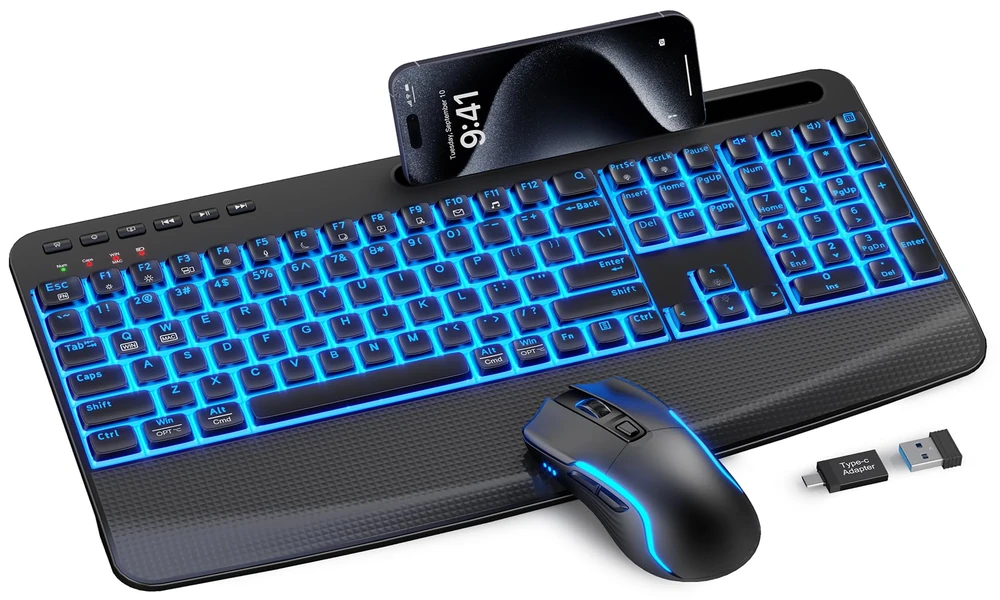
Desk setup culture has turned ordinary computer accessories into part of interior design. A keyboard is no longer judged only by whether it types; many users also care about how it looks beside a monitor, lamp, notebook, and other desktop accessories. The SABLUTE Wireless Mechanical Keyboard and Mouse Combo is clearly designed with that audience in mind. Its round typewriter-inspired keycaps, decorative rings, metal top panel, selectable backlighting, and matching wireless mouse make visual coordination a central selling point. Yet the keyboard remains a full-size 104-key model with linear red mechanical switches, a numeric keypad, navigation keys, wireless and wired connectivity, and a large rechargeable battery. This review considers whether the aesthetic focus complements or compromises practical use.
Round keycaps set the tone for the entire workspace
Many retro-styled keyboards lean heavily on appearance, but the more relevant question is whether the visual theme gets in the way of ordinary work. With this SABLUTE model, the underlying layout remains a standard full-size 104-key arrangement, so the typewriter-inspired round keycaps do not come at the cost of common productivity keys. The keyboard includes a number pad, function row, arrow cluster, and navigation keys, along with a dedicated calculator shortcut. The metal top panel and decorative keycap rings reinforce the vintage-meets-modern presentation, while the available color options are intended to fit different desk aesthetics. In practical terms, the keyboard is designed for people who want their input device to be part of the look of the room rather than an anonymous office accessory, but who still need the conventional key coverage of a normal full-size board. That makes it easy to understand as a retro mechanical keyboard whose styling is meant to shape the look of the workspace as much as the typing experience.
The mechanical feel keeps the design from being purely decorative
For the actual key action, the board relies on red mechanical switches with linear travel. The supplied specifications emphasize a smooth press, relatively light actuation, and the absence of a tactile bump. That makes the switch choice logical for a product intended to serve many kinds of users rather than one narrow enthusiast audience. A writer, student, office worker, or home user can all approach the keyboard without needing to learn an unusual switch behavior. SABLUTE lists an approximate 50-million-keystroke lifespan for the switches. Still, the correct expectation is everyday mechanical typing, not boutique keyboard acoustics or advanced gaming technology. Terms such as ‘thocky,’ ‘creamy,’ ‘silent mechanical,’ or ‘professional gaming’ would overstate what is actually specified. The value here is the combination of mechanical switches, full-size convenience, and distinctive styling.
A full-size silhouette makes the keyboard a visible desk centerpiece
The 104-key layout is one of the most practical parts of the package. Compact keyboards are popular, but they often require compromises that office and productivity users notice quickly. SABLUTE keeps the dedicated numeric keypad for spreadsheets and data entry, a complete function-key row, dedicated arrow keys, navigation keys, multimedia controls, and a calculator shortcut. There is also a multifunction knob for fast access to volume and lighting functions. This means the keyboard can serve as a primary desktop board rather than a secondary aesthetic accessory. For someone who regularly moves between documents, browser tabs, numbers, media, and general system controls, having the full set of familiar keys can be more important than saving a few inches of desk width. The layout supports the product’s mainstream positioning because it does not require the user to remember layers or key combinations simply to reach basic functions.
Going wireless lets the visual theme breathe a little more
The SABLUTE combo keeps its connection options focused on two methods: 2.4GHz wireless and USB-C wired operation for the keyboard. The wireless receiver is shared by both the keyboard and mouse, which helps reduce USB-port clutter and makes setup simpler. A single 2.4GHz USB receiver connects both the keyboard and mouse from up to 26 ft (8 m) under suitable conditions. The wired USB-C mode matters because the keyboard can continue to be used while charging, so a low battery does not necessarily stop work. What is absent is equally important: there is no Bluetooth support. The product should therefore not be described as tri-mode. This is best for desktop and laptop users who are happy to dedicate one USB port to the shared receiver and want the security of a cable option for the keyboard when needed.
Backlighting changes the mood without changing the keyboard’s core identity
The retro keycap design might be the first visual feature, but the backlighting gives the keyboard a distinctly modern character once the lights are on. Users can choose from 17 modes and seven single-color options, along with additional RGB effects. SABLUTE says the available settings amount to up to 108 lighting combinations. Because control happens directly on the board, the user can make adjustments without installing lighting software. That approach also clarifies what the product does not offer: it should not be presented as having individually addressable keys or software-programmable per-key RGB. The lighting is more straightforward, intended to add desk ambience, improve visibility in low light, and let users alter the keyboard’s appearance. It can be disabled completely, and the board retains the selected settings for convenience.
The knob works as both a useful control and a visual detail
The control knob is one of the details that helps the keyboard feel purpose-built for a desk rather than simply decorated with retro keycaps. SABLUTE assigns the knob to volume and backlighting. Rotate it to adjust sound, press it to mute or unmute, or use the lighting mode for backlight changes and brightness. That creates an easy physical shortcut for adjustments people make throughout the day. Because the board still has multimedia controls and its full function row, the knob is an addition rather than a compromise. Users who regularly move between meetings, music, videos, and focused work may appreciate that immediacy.
Long battery life matters when the goal is a clean-looking setup
A large 5000mAh rechargeable battery is one of the more practical specifications in the keyboard. It charges through USB-C and does not force the user to stop working while connected to power. SABLUTE pairs the battery with timed energy-saving behavior: the lights go off after roughly two minutes of inactivity, and the keyboard sleeps after about ten. A keypress wakes it. The supplied maximum-use estimate is approximately 1,000 hours when the backlight is disabled, although the real figure will vary according to lighting, typing, wireless conditions, and other usage factors. This is a good example of why the product works best as an everyday desk keyboard. Wireless operation can be the default, while the USB-C cable serves as an immediate backup whenever charging is needed.
Using the same design across Windows and Mac workspaces
The keyboard includes a dedicated Mac mode with switchable Windows and Mac key mapping. In Mac mode, the bottom-row modifier keys are remapped to the familiar Control, Option and Command arrangement, while the function row provides macOS-oriented system, media and productivity shortcuts. The Mac function row is designed for macOS but is not identical to the standard Apple function row: F10-F12 are assigned to Copy, Paste and Select All rather than Apple’s usual audio controls. The dedicated calculator key is not available on macOS.
The matching mouse helps the desk look intentional rather than pieced together
SABLUTE includes a matching wireless mouse, and its role is best understood as convenience rather than the central reason to buy the set. The mouse connects through the same receiver as the keyboard, includes six buttons, forward and backward side keys, and selectable sensitivity levels of 800, 1200, 1600, and 2400 DPI. The primary left and right buttons are described as quiet, which is useful for office and shared-room situations. These are practical everyday specifications for browsing and general computer work. There are no claims that the mouse is a specialist gaming device. Its biggest contribution is that it completes the desk setup while using no additional receiver.
Who will value the visual upgrade most
The appeal of the design is contrast. The key shape and rings reference a vintage typewriter, while the lighting modes, USB-C charging, and wireless receiver are unmistakably modern. That prevents the keyboard from feeling like a novelty reproduction. It is better described as a modern keyboard borrowing retro visual cues. Because the board remains full size, it also occupies a strong visual presence on the desk; this is not a tiny accessory that disappears beneath a monitor. The available lighting effects let users emphasize that presence at night, while the option to switch lighting off allows the keyboard to look more understated during work hours. The matching mouse helps avoid the mismatched-peripheral effect that can undermine a carefully planned setup. Importantly, none of this requires sacrificing the number pad, function row, or navigation keys. SABLUTE’s design therefore works best for people who want an aesthetic workspace but still need a normal productivity layout.
Style-forward does not mean enthusiast-grade or ergonomic
A balanced review also needs to be explicit about the features that are not part of this product. The keyboard does not support Bluetooth and should not be described as tri-mode. The supplied specifications do not include hot-swappable switches, a gasket mount, PBT keycaps, per-key or individually addressable RGB, software-controlled RGB, Hall Effect or magnetic switches, Rapid Trigger, adjustable actuation, ultra-low-latency gaming claims. It is also not positioned as a professional gaming, premium enthusiast, custom, silent, or ergonomic keyboard. These are not small wording details: they define the category in which the SABLUTE combo should be judged. Buyers who require one of those specialist features should choose a product designed specifically around that need. Buyers who do not need them can focus instead on the SABLUTE’s actual strengths: full-size productivity, accessible mechanical switches, distinctive styling, simple wireless setup, rechargeable power, onboard lighting, and the convenience of a matching mouse.
A workspace refresh that remains grounded in everyday function
For an aesthetic desk, the SABLUTE combo offers a clear visual identity without becoming purely decorative. The typewriter-style keys and metal top panel provide the retro cues, the backlighting supplies modern customization, and the matching mouse completes the look. Underneath, the 104-key format and red mechanical switches keep the keyboard practical for real work. Users who prefer ultra-minimal compact boards may find the full-size footprint too prominent, but that same presence can be an advantage when the keyboard is intended to be a centerpiece of the desk. The product’s strongest visual message is not nostalgia alone; it is the combination of nostalgic styling with contemporary everyday functions.
As an aesthetic keyboard, the SABLUTE is designed to make the keyboard part of the visual identity of the workspace rather than treating it as a purely functional peripheral.